

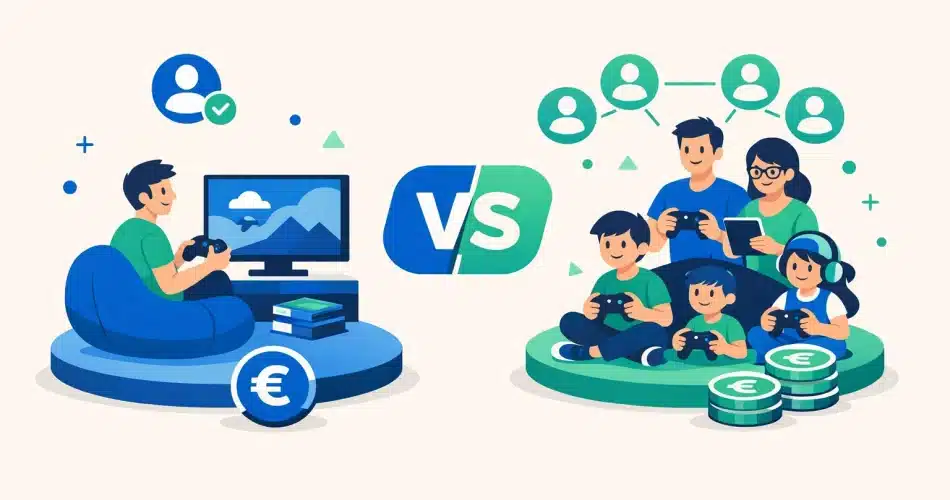
Xbox Game Pass gives you access to hundreds of games for a monthly fee — but how much does it really cost, and who can you share it with? It’s not as straightforward as Microsoft makes it out to be.
The sharing rules have changed since september 2026, and many gamers find themselves paying the full price without realising it.
In this article, you’ll find details of each subscription tier, the official limits on family sharing, and how a co-subscription via Sharesub can reduce your bill — legally.
September 2026: what each plan really includes
Xbox Game Pass isn’t a single subscription. It’s a range of plans, each with its own specific scope. Before you look to save money, you need to know exactly what you’re paying for.
PC, Console, Ultimate: the differences that matter
Microsoft offers three main plans for the september 2026:
- Game Pass PC — access to the catalogue on Windows only, without console functionality.
- Game Pass Console — a catalogue dedicated to Xbox Series X|S and Xbox One, with no PC or cloud access.
- Game Pass Ultimate — the all-in-one plan: PC, console, cloud gaming via Xbox Cloud, and Xbox Live Gold included.
The price varies depending on the plan. On september 2026, the Ultimate plan is priced at around €14.99 per month, compared to less than €10 for the PC or Console-only options.
The key difference: only the Ultimate plan lets you play without a console, via a browser or a mobile phone. That’s what makes it the most versatile — and the most expensive.
The 2026 catalogue: day-one games, EA Play and cloud gaming
Game Pass’s strength lies in its catalogue. Day-one games — including all titles from Microsoft studios — are available as soon as they’re released, at no extra cost.
The Ultimate tier also includes EA Play: a selection of Electronic Arts games (FIFA, Battlefield, Mass Effect, etc.) accessible directly from the catalogue.
In terms of numbers, Microsoft reports that there are over 400 games available in the global catalogue. That’s more than a Netflix or Spotify subscription will ever have films — but the logic is different: titles are added every month, whilst others are removed.
And this is where Game Pass really stands out. Access sharing isn’t built-in: since the pricing overhaul in July 2024, Microsoft still doesn’t offer multiple profiles or integrated family management. To share the cost amongst several people, a different approach is needed.
How much does Xbox Game Pass cost? Official prices and the actual monthly cost
Microsoft increased its prices in July 2024. As a result, the bill has gone up for almost everyone. Here’s what you’re actually paying today.
| Plan | Official price / month | What you get |
|---|---|---|
| Game Pass PC | €11.99 | PC games only, no cloud |
| Game Pass Standard | €14.99 | Console + PC, excluding day-one releases |
| Game Pass Ultimate | €17.99 | Console + PC + cloud + EA Play + day-one releases |
Prices verified directly on xbox.com — we’ll use €17.99 per month as the benchmark throughout this article for the Ultimate plan.
At this price, the Ultimate plan works out at €215.88 per year for a single account. This is the plan we’ll be using in all the following calculations.
And that’s not all. Microsoft has scrapped the old “Console” plan and removed day-one releases from the Standard plan. To play recent releases on their launch day, you’ll need the Ultimate plan.
In practical terms, if you want Starfield, Forza or the next big Xbox title on its release day, you have no choice but to opt for the €17.99/month plan.
Many gamers are therefore paying this €18 every month… for individual use. Whereas a shared subscription allows you to split this cost between several people, without compromising on access.
This is exactly what Sharesub offers: join a sharing group to save money on your Game Pass, legally and automatically.
Sharing Game Pass with your family: what Microsoft allows — and what it blocks
Microsoft offers two built-in tools for sharing Game Pass. They work, but with specific restrictions. Here’s what you need to know before you get started.
The Home console: a built-in feature, but limited to a single household
Each Xbox can be designated as your Home console. In practice, this means that any profile logging in on this console can access your Game Pass subscription without needing their own account.
This is handy if you live with someone. Your brother, your partner, your children — any local profile automatically benefits.
But there’s a major drawback: you can only designate one Home console at a time. If you switch consoles or log in elsewhere, the previous user loses access. There’s no solution for a friend who lives in another town.
Another limitation: the Home console only works for local games. Online, each player needs their own active subscription. According to the official Xbox documentation, this system is intended for use within the same household, not for remote sharing.
Microsoft Family Safety: useful for parents, not for friends
Microsoft Family Safety is a parental control app. It allows you to group up to five people into a Microsoft family group.
With the Xbox Game Pass Ultimate subscription, the account holder can share certain benefits with members of their family group. Children linked to the account benefit directly.
But the conditions are strict:
- Members must be added to the Microsoft family group — not just friends.
- Microsoft imposes a geographical restriction: all members must live in the same country.
- Certain Game Pass Ultimate benefits cannot be shared via Family Safety, notably the full PC Game Pass catalogue.
In practice, this tool is suitable for parents managing their children’s accounts. It doesn’t work for two friends who want to save money together.
These two built-in options therefore remain quite rigid. They meet a classic family need, but rule out any sharing between people living at different addresses.
If you want to share your Game Pass subscription with someone outside your household — in a controlled way and without tinkering with the settings — a co-subscription platform like Sharesub handles this neatly, with automatic and frictionless refunds.
The practical limitations gamers don’t see coming
On paper, sharing Game Pass seems simple. In practice, several problems quickly arise — and nobody mentions them until things go wrong.
The ‘single household’ rule is stricter than you think
Microsoft defines an Xbox household as a group of people living at the same physical address. This isn’t a vague concept: it can be verified via your internet connection, your location and your gaming habits.
If you’re sharing with a friend who lives in Lyon whilst you’re in Bordeaux, you’re breaking the rules. The risk? Your account could be suspended, without warning and without a refund.
Moving house can ruin everything
Imagine this: a member of your group moves into a shared flat. Microsoft can detect a change of address and invalidate the shared household. The result: everyone loses access to shared games, sometimes right in the middle of a match.
There’s no simple official procedure for ‘updating a household’. Microsoft limits household changes to once a year. You’re stuck for 12 months if you’ve made a mistake.
Managing refunds between friends is a nightmare
Outside the official framework, many groups sort things out informally: the odd PayPal transfer, a text message reminder, and sometimes… nothing at all.
It’s a classic scenario: Lucas lends €18 in January, follows up in February, and gets no response in March. By the fourth month, he blocks access. The group gets angry, the sharing stops — and everyone loses out.
This is exactly the sort of friction that a tool like Sharesub prevents: each member pays their share automatically, without manual reminders, without any awkwardness.
Microsoft’s technology isn’t designed to simplify sharing amongst friends. You need to plan ahead before you get started.
Xbox Game Pass co-subscription via Sharesub: share outside your household, legally
Microsoft allows you to share Game Pass Ultimate with a family member via the Xbox Family Plan. But this plan is limited to a single official household. If you want to split the cost with a friend, colleague or flatmate living at a different address, you’ll soon find yourself stuck.
This is where a different approach comes in: co-subscription. The idea is simple. One person takes out the subscription. The other members of the sharing group pay their share each month. There’s no need to live under the same roof.
The classic problem? Money transfers between friends. You chase them up, you wait, you forget. After three months, someone stops paying and that’s when things get messy. Sharesub exists precisely to avoid that.
How Sharesub organises Game Pass sharing
Sharesub is a French platform dedicated to the automated management of shared subscriptions. In practical terms, here’s what it changes:
- The member who takes out the Game Pass creates a listing on Sharesub in just a few clicks.
- The others join their sharing group and pay their share directly on the platform.
- Refunds are automatic every month — no manual bank transfers, no reminders.
- Payments go through a secure system: nobody shares their bank details.
The result: you can split the cost of a Game Pass Ultimate subscription at €14.99 per month with one or more people, hassle-free and with no risk of non-payment.
Is this legal?
Yes. Sharesub does not circumvent Microsoft’s terms of use. The platform organises cost-sharing between individuals — a legally recognised principle. Each user accesses the subscription with their own login details, in accordance with the service’s rules.
You’re not passing a password around. You’re sharing the cost, transparently and with full documentation. That’s how it works. But in practical terms, how much do you save?
How much can you save with a Game Pass sharing group?
A concrete example is better than a long explanation. Take the Xbox Game Pass Ultimate at €14.99 per month. Over a year, that amounts to €179.88 if you pay for it on your own.
Now, imagine you join a three-person sharing group via Sharesub. Everyone pays their share: around €5 a month. Over the course of a year, you’ll spend €60 instead of €180.
| Situation | Monthly cost | Annual cost |
|---|---|---|
| Individual subscription | €14.99 | €179.88 |
| Joint subscription for 2 | ~€7.50 | ~€90 |
| Joint subscription for 3 | ~€5 | ~€60 |
The actual saving is over 66 per cent of the original price. That’s a significant saving for access to exactly the same games, with no restrictions.
But money isn’t the only benefit. The real problem with sharing between friends or colleagues is often managing payments: WhatsApp reminders, people forgetting, and tensions arising.
Sharesub automates all of that. Group members pay their share automatically every month. You don’t have to chase anyone up. The Game Pass shared subscription becomes as simple as a standard direct debit.
The result: you save money and avoid any friction. Both at the same time.
Which Game Pass plan should you choose based on your profile as a ‘ 2026 ’?
It all depends on your situation. Here’s how to choose the right one.
You play on your own, exclusively on Xbox or PC. Game Pass Standard is more than enough. You get access to hundreds of games at a reasonable price, without paying for multiplayer features you don’t need.
If you also want to play day-one releases and enjoy Xbox Cloud Gaming, go straight for Game Pass Ultimate. The price difference quickly pays for itself if you play regularly.
You have several consoles at home. The PC Game Pass subscription only covers Windows devices — which is no use if your family uses a mix of Xbox and PC. In this case, Ultimate remains the only option that covers everyone under one roof, via Microsoft’s native console sharing.
You only play on a PC. PC Game Pass is made for you. It costs less than Ultimate and gives you access to the same titles on Windows. There’s no need to pay for the console benefits.
You want to share with friends outside your household. Currently, no official plan allows this directly. Microsoft restricts sharing to a single household. This is exactly why Sharesub exists: in two minutes, you create your listing, your gaming partners join the group, and payments are automated — no reminders, no hassle.
Solo or PC → Standard or PC Game Pass. Mixed household → Ultimate. Friends living elsewhere → create your sharing group on Sharesub and let the platform handle refunds for you.


