


Canal+ recently enriched its offer by integrating Apple TV+ into its bouquet, giving subscribers access to all the exclusive series and films on Apple TV+. If you’re a Canal+ subscriber, find out in this step-by-step guide how to easily access Apple TV+ via your Canal+ subscription and enjoy all the available content in just a few clicks.
How can I watch Apple TV with my Canal+ account?
Apple TV+ is available with your CANAL+ channel subscription.
💡To lighten the cost of your Canal+ subscription while enjoying your favorite programs on Apple TV, you can join a Canal+ subscription sharing group via dedicated platforms like Sharesub. This solution, which is both secure and legal, allows you to share your digital subscription with complete peace of mind, giving you the benefits of a premium subscription at a lower cost.
I’m not a Canal+ subscriber, what should I do?
There are two options for you:
- you can subscribe to Apple TV+ as an additional option for just €6.99 a month, or opt to upgrade your package to include the CANAL+ channel.
- However, it is possible to subscribe to Canal+ and its various offers at lower cost via Sharesub, which offers subscription sharing between individuals, enabling you to save up to 70% on your subscriptions.
Where can I find Apple TV+ content?
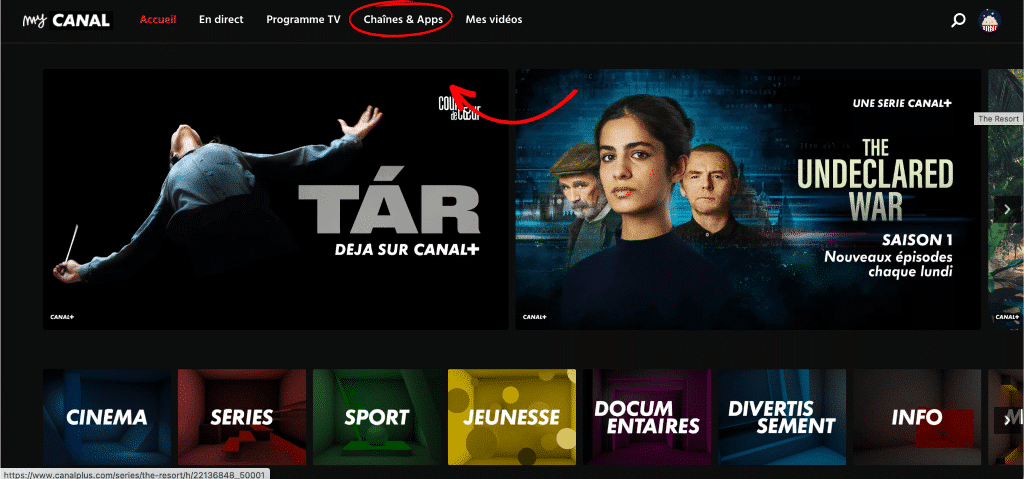
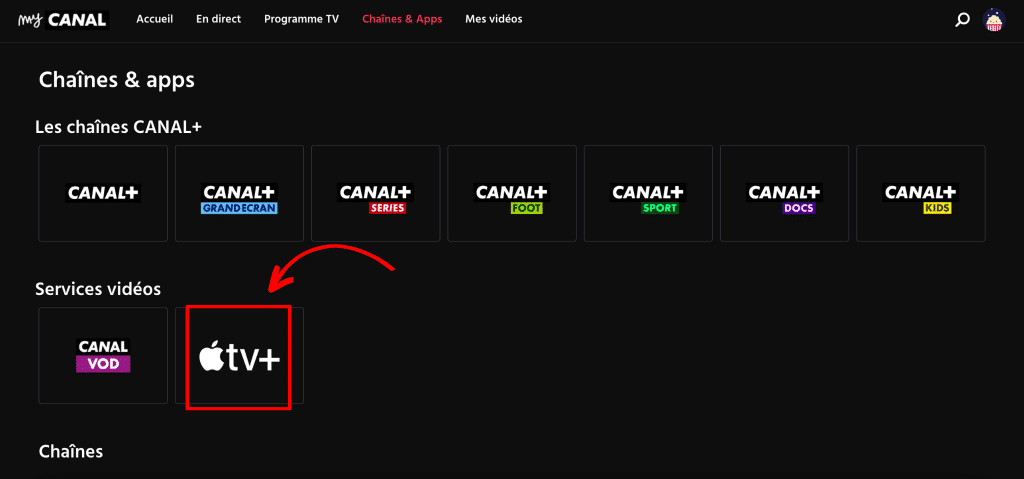
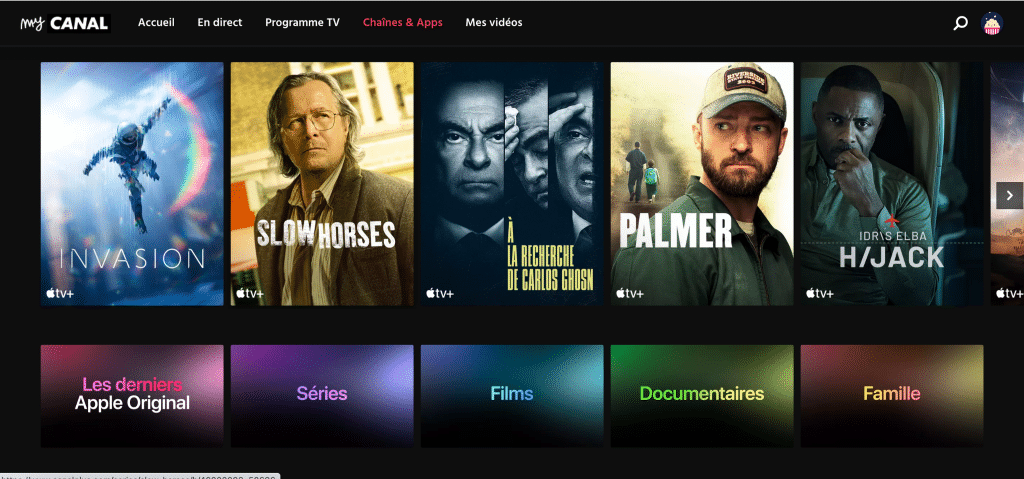
You can find all Apple TV+ content on your MyCanal application or space:
- Go to the “Channels & Apps” section
- Then click on the “Apple TV+” logo
- And access the Apple TV+ catalog!
On which devices does Apple TV+ work?
AllApple TV+ content can be accessed directly on canalplus.com or via the Canal+ app on your game consoles (PS4, PS5, Xbox One, Series S, Series X). You can also enjoy it on devices such as Fire TV, Chromecast, Apple TV, and Android TV, for a smooth and convenient viewing experience wherever you are.


