

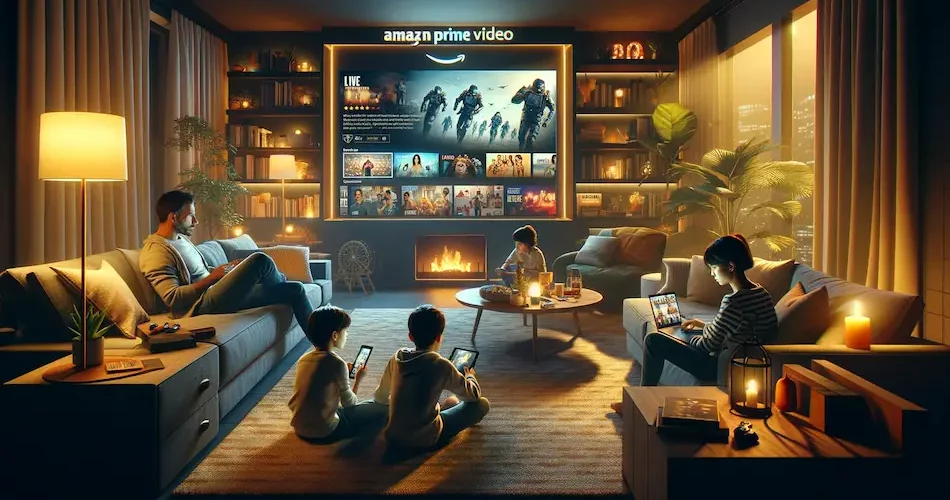
Do you have an Amazon Prime subscription and want to share it with your family and friends? Be careful! Depending on your subscription type, you may no longer be able to watch your favorite series if a member of your family is logged in with your login and password. By the end of this article, you’ll know if it’s safe to share your account with your best friend 😎
Amazon Prime Video account sharing: What you need to know
So, let’s talk about account sharing on Amazon Prime Video. Is it as easy and flexible as Netflix? The answer is not so straightforward. Amazon Prime Video, like Netflix, recognizes the importance of family sharing and relaxing together, while working on a wide range of devices, game consoles included, and offering exclusive broadcasting rights. But there are a few subtleties to understand.
First, the good news: Amazon Prime Video does allow simultaneous viewing on multiple screens – up to three, to be precise. This means that you, your partner and another family member, perhaps one of your millions of subscribers, can each dive into your favorite series and movie worlds without interruption, including popular series like “Jack Ryan”. But beware, if you’re a fan of “The Marvelous Mrs. Maisel” while your kids are watching “Paw Patrol”, there’s a limit. Amazon Prime Video limits the streaming of the same content to two devices simultaneously.
Compare this with other streaming services. Netflix, for example, recently adjusted its policy to allow additional subscribers to be added outside the home, at an additional cost. Meanwhile, at Amazon Prime Video, account sharing is more family-centric and limited mainly to the home. You can invite another person in your household, using their email address, to enjoy your Prime Video subscription, but sharing outside your household isn’t really in the cards.
That’s where services like Sharesub come in. While Amazon Prime Video doesn’t offer a built-in solution for sharing fees, with Sharesub you can manage these sharing arrangements, making the subscription more affordable while staying within the rules. It’s a bit like sharing the cost of a good meal with friends: everyone benefits, while keeping things fair and simple, and enjoying free delivery on many items.
💡Share your Amazon Prime subscription easily with Sharesub. Create a group, invite friends or family and split the costs. Enjoy all the benefits without breaking the bank with Amazon Prime subscription sharing.
Amazon Prime Video account sharing procedure
So how do you share your Amazon Prime Video account with your family? It’s quite simple. It all starts with an invitation. Log on to the Amazon website, go to “Accounts and lists” and click on “Your Prime video”. There, choose “Manage your Prime video”, then “Household profile” and invite a member of your household. A bit like inviting someone to a Netflix party, but Amazon-style.

Is it possible to watch Amazon Prime Video on multiple screens?
Wondering if you can watch “Lord of the Rings” on your TV while the kids watch “Peppa Pig” on the tablet? With Amazon Prime Video, that’s a big yes! You can stream to three different devices with a single account. But if you all want to watch the same movie, remember: only two screens can show the same content simultaneously.
Add an extra screen on Amazon Prime Video
Want to add your new tablet to your Amazon Prime Video account? It’s easy! Log on to Prime Video, click on the icon in the top right-hand corner, then on “Your devices”. Go to “Account and settings” and choose “Register a new device”. Just make sure your device is compatible with Prime Video.
Connect Prime Video to your TV
Enjoying Prime Video on your TV is child’s play. Log in and launch the video. Enter your account information and select “Register on Amazon’s website” to receive a code. Enter this code into your Amazon account, and voilà, your TV is ready for movie night.
Two Amazon accounts can be managed simultaneously
And if you need more, Amazon lets you juggle two accounts. Perfect if you have different tastes, or if you want to separate shopping from relaxing. Simply move your mouse over “Account and lists” and choose “Use a different account”. So you can see who’s connected, and even delete unauthorized devices.
Watching live football on several screens with Prime Video
Football fan? In the UK, Prime Video shows a selection of UEFA Champions League matches, and they follow the same rules as films and series. With a single account, you can stream on up to three devices at once, so one person can watch the match while the others watch a series in another room. The same match, however, can only play on two devices at a time, for example the living-room TV and your phone. It’s like having the best seats in the stadium, but from the comfort of your sofa.
Limitations by subscription plan
Like a good buffet, Amazon Prime has its limits, but here everyone gets the same plate. Unlike Netflix or Disney+, Prime Video doesn’t sell a pricier plan with extra screens: whatever your subscription, one account lets you stream on up to three devices at once, and the same title on two devices at most. So rather than choosing a plan, the real question is how many people will be watching at the same time.
FAQ about Amazon Prime and Account Sharing
With Amazon Prime Video, you can use up to three devices simultaneously. If you want to watch the same content, the number is limited to two devices.
Amazon Prime Video allows account sharing mainly within the home. You can invite one other person from your household, but sharing outside the home is limited.
To add a new device, log in to Prime Video, go to “Your devices” under “Account and settings”, then click on “Register a new device”. Make sure your device is compatible with Prime Video.
Yes, Amazon Prime offers a variety of languages for its content, depending on regional availability and user preferences.
Yes. Champions League matches on Prime Video follow the same limits as the rest of the catalogue: up to three streams at once on one account, and the same match on two devices at most.
Yes, Sharesub is a platform that allows you to create sharing groups for your Amazon Prime account, making it easier to manage financial contributions between group members, and thus helping to optimize the cost of the subscription for millions of subscribers.