

Have you had your fill of Disney+ series and films and are getting bored? Maybe it’s time to think about cancelling? Here’s how to cancel your subscription step by step. 🌚
✋🏻 But we’ll stop you right there: if you love this platform, are reluctantly deciding to cancel Disney+ just to save money, then we have a solution for you. Discover this interesting alternative that will enable you to considerably reduce your subscription costs while maintaining your access.
Choose the subscription-sharing option! ⭐️
Instead of cancelling your Disney+ membership altogether, we encourage you to share your available seats on your account with other users. This way, you can divide the costs and get a good portion of your initial investment back. Given that Disney allows you to watch 4 profiles simultaneously, this means you can be reimbursed for up to 75% of your expenditure.
The Sharesub site is a secure platform that facilitates subscription sharing by connecting you with other users willing to pay to enjoy Disney+ content and 430 services available on the platform. Rated 4.9/5 on Google and 4.8 on Trustpilot, this is a trusted site that has proven its seriousness.
But if you’re not convinced, here’s how to unsubscribe!
How do I unsubscribe from Disney+? 😥
1- Log in to your Disney+ account.
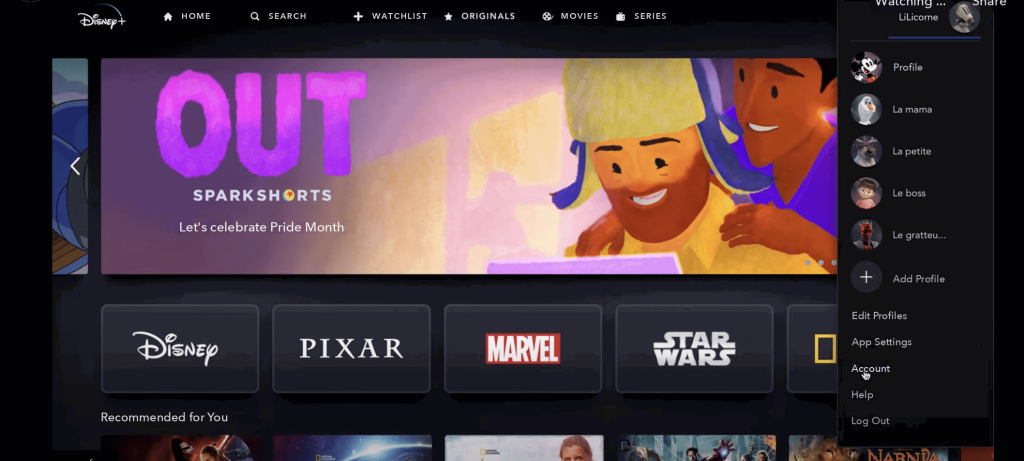
2- Go to the “Account” or “Settings” section of your Disney+ account.
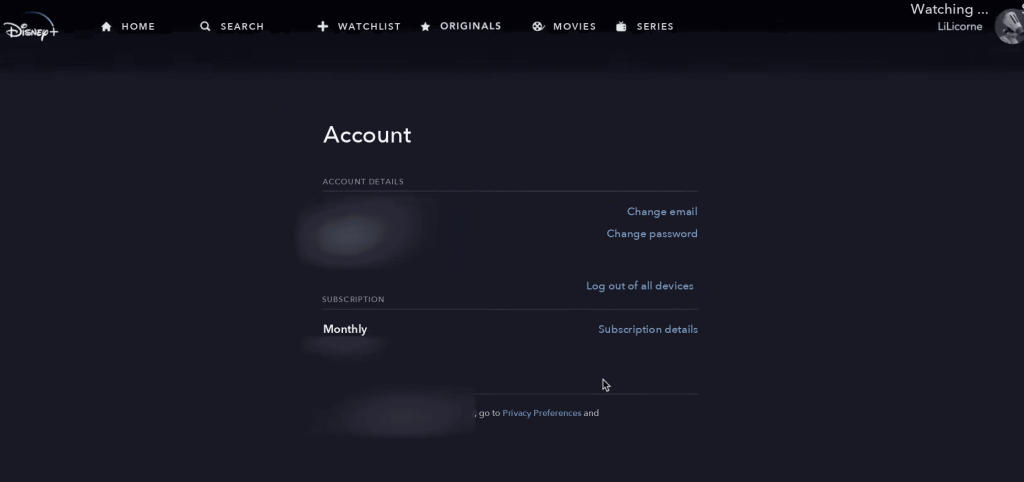
3-Research the “Manage subscription” or “Cancel subscription” option.
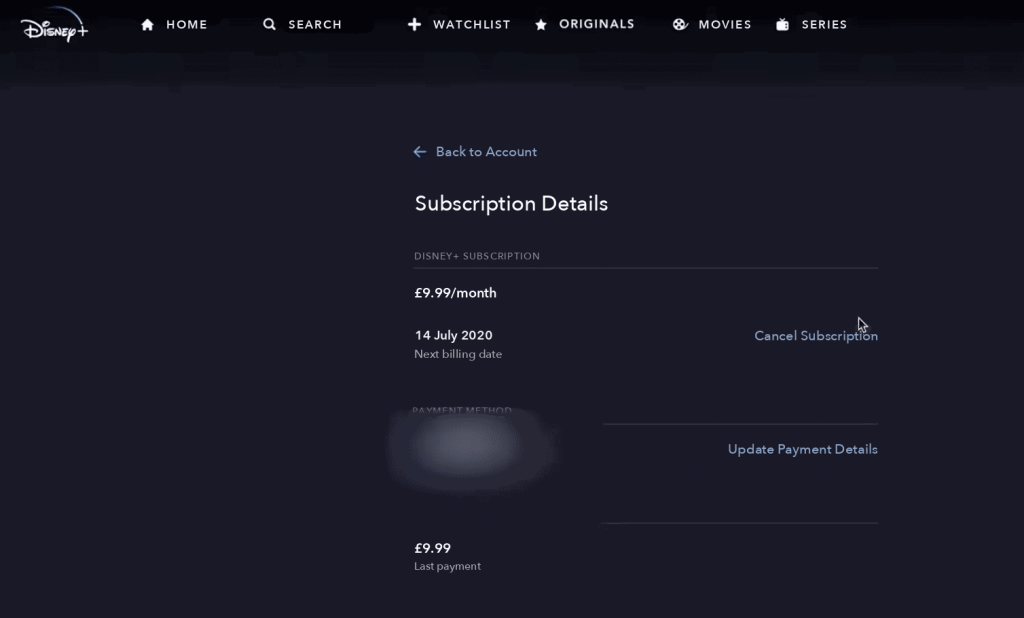
4 Follow the instructions provided to cancel your subscription. You may be asked to confirm your choice or provide a reason for cancellation.
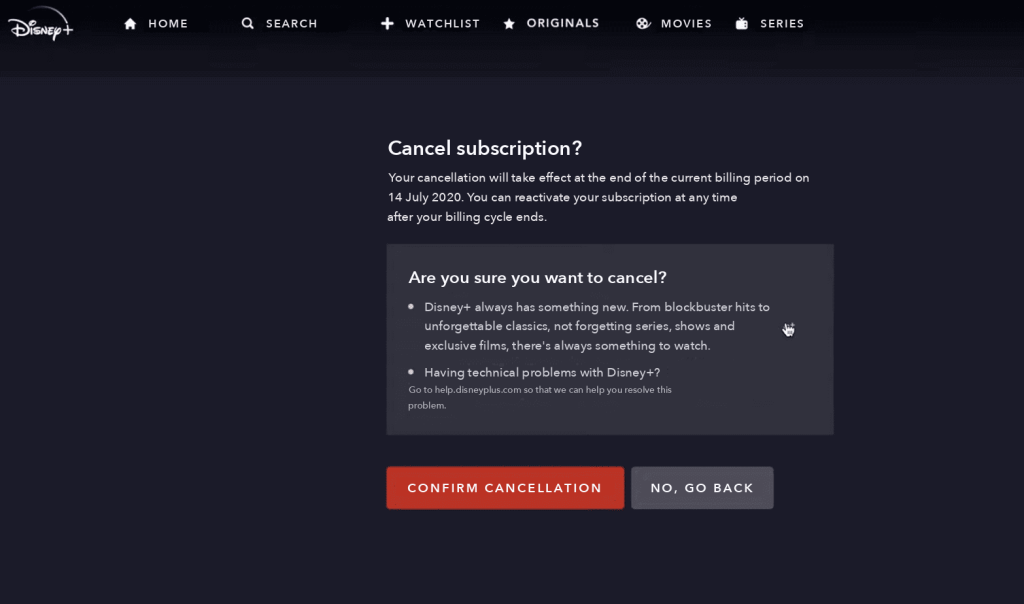
Once you have confirmed the cancellation, you will receive confirmation of the cancellation of your subscription from Disney+.
Voila, the operation is done!