


Following Apple’s purchase of Beats in 2014, Apple’s streaming platform has been able to impose its model. With over 100 million tracks available on the platform, as well as exclusives, Apple Music is a must-have for music lovers.
Switch to the Family plan and share your subscription
If you’re thinking of cancelling your Apple Music subscription because of the high costs involved, the Family plan could be the ideal solution for you. Instead of paying the full individual subscription, you can opt for the Family package, which allows up to six members to enjoy unlimited access to Apple Music at a very affordable price. Services such as Sharesub.com allow you to share your available seats with other subscribers.
How to unsubscribe from Apple Music
On your iPhone or iPad
1. Open your device’s “Settings” application
2. Click on your “Profile
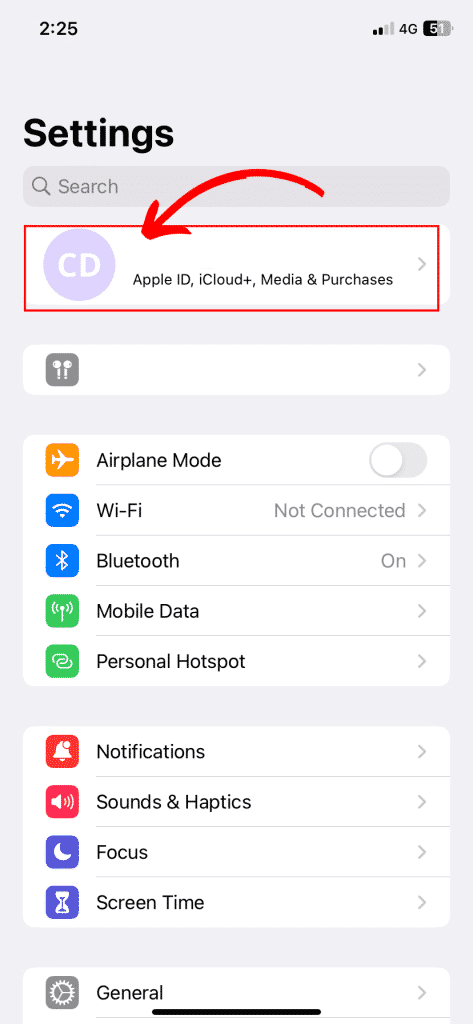
3. Go to “Subscriptions”.
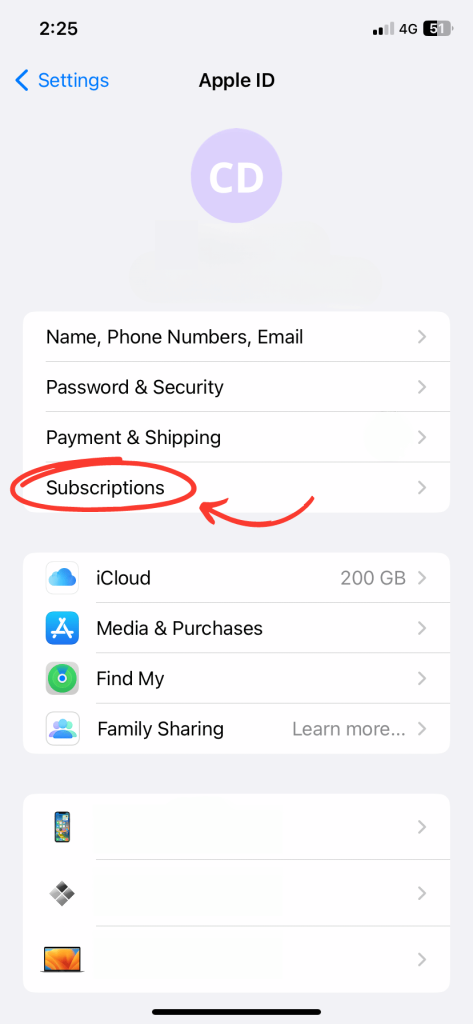
4. Then select the relevant subscription
5. Finally, simply select “Cancel subscription”.
On your Mac
1. Open the “App Store” application
2. Click on your name
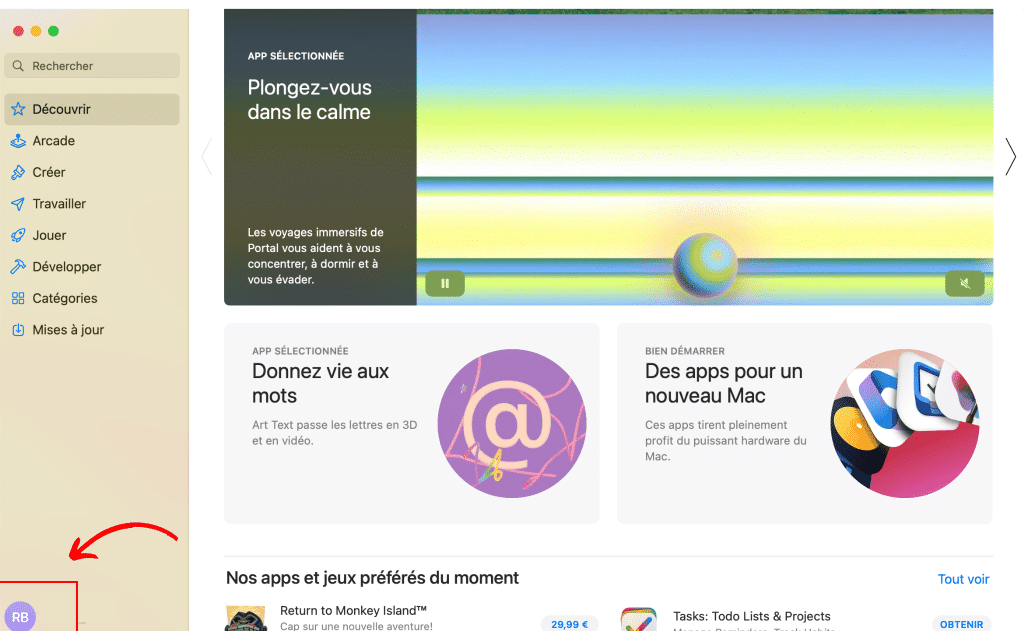
3. Then select “Settings”.
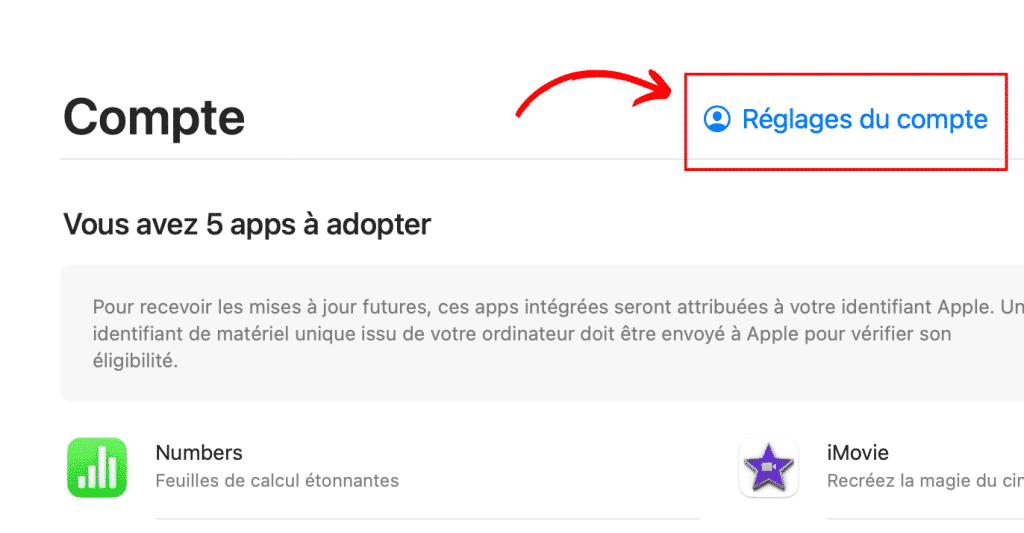
4. Scroll to “Subscriptions” then “Manage”.

5. Select the Apple Music subscription then click on “Edit”.
6. Click on “Cancel subscription”.
Cancel your Windows PC subscription
1. Open “iTunes”.
2. Select “Account” then “View my Account”.
3. Go to “Settings”, “Manage” and select “Subscriptions”.
4. Select “Apple Music” then click on “Edit”.
5. Click on “Cancel subscription”.


