


Spotify limits family changes
Spotify limits the number of family changes you can make in a year with the same account, which is bound to be quite inconvenient or unpleasant when you have to change groups, or if for example you have changed the person who pays, and family members have to join a new invitation.
But there are solutions to avoid this problem, which we describe in this article.
Share your Spotify account
Spotify limits the number of family changes you can make in a year with the same account, a particularly restrictive aspect of Spotify subscription sharing. This can be quite annoying or unpleasant when you have to change groups, or if, for example, you’ve changed the person paying, and family members have to join a new invitation.
But there are solutions to avoid this problem, which we describe in this article. These tips are essential for those who use Spotify subscription sharing, ensuring more flexible and less restrictive management of their family music account.
Can I change my Spotify family group?
Yes, at Spotify unlike life, you can change families. Spotify allows only one family change per year.
How do I join another family if I’ve already switched this year?
The solution is to use a different Spotify account, you have two choices:
- create a new Spotify account using your email address. Most mailboxes (gmail, outlook, hotmail) support aliases. If your email address is toto@gmail.com an alias can be toto+spotify@gmail.com. It is the “+” character that defines the alias. The mails received at the mail address toto+spotify@gmail.com will arrive in your mailbox toto@gmail.com,
- You can also create a new Spotify account with a different email address if you use more than one.
Transfer your old playlists to the new account
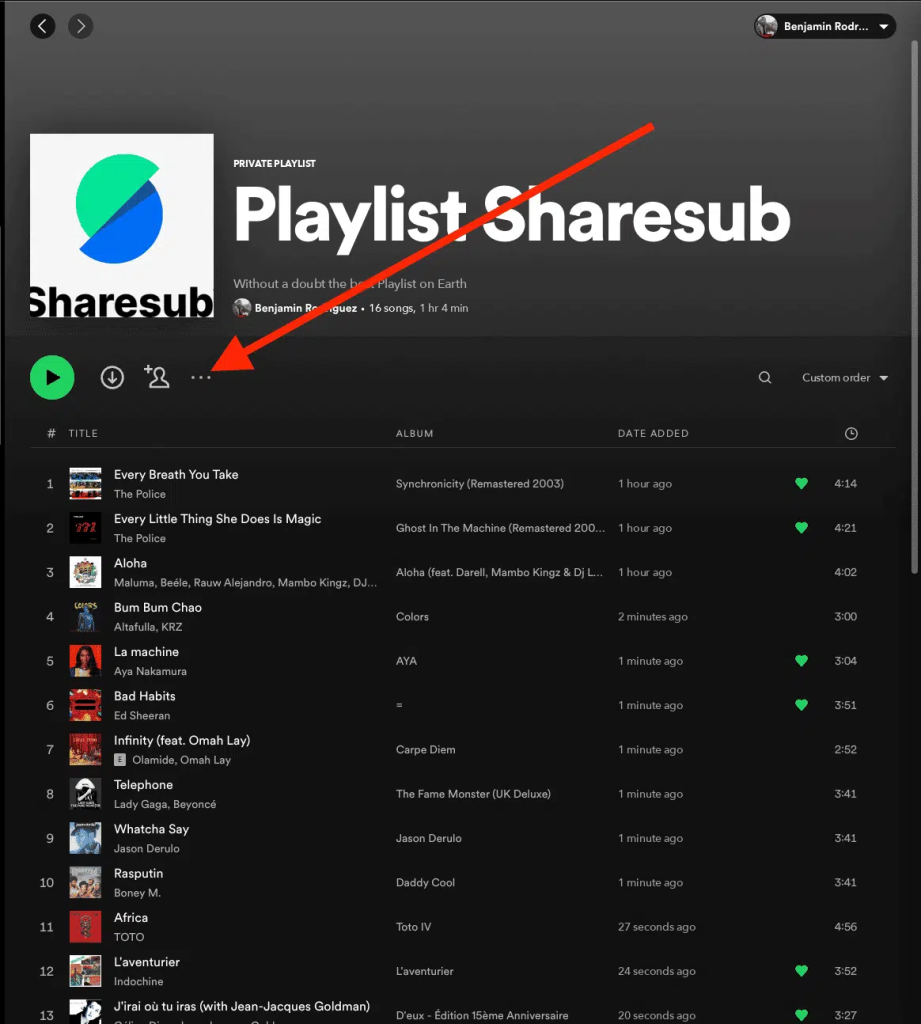
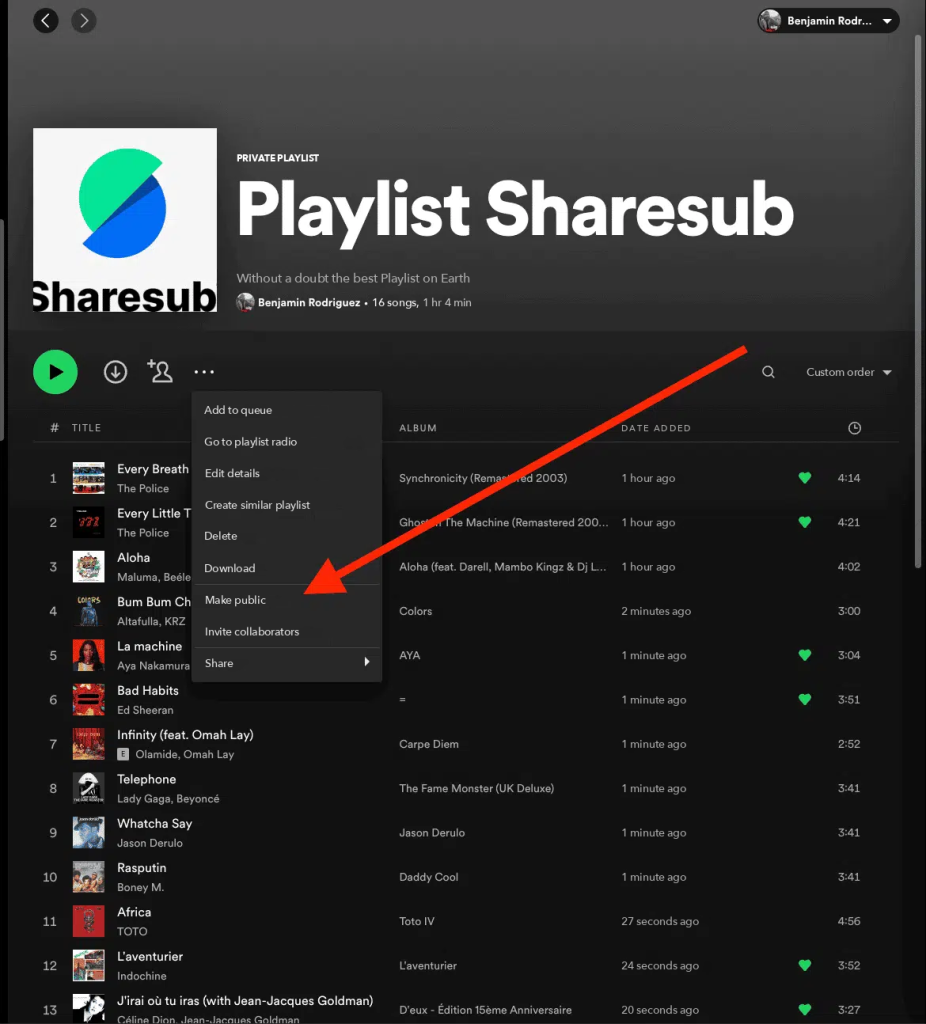
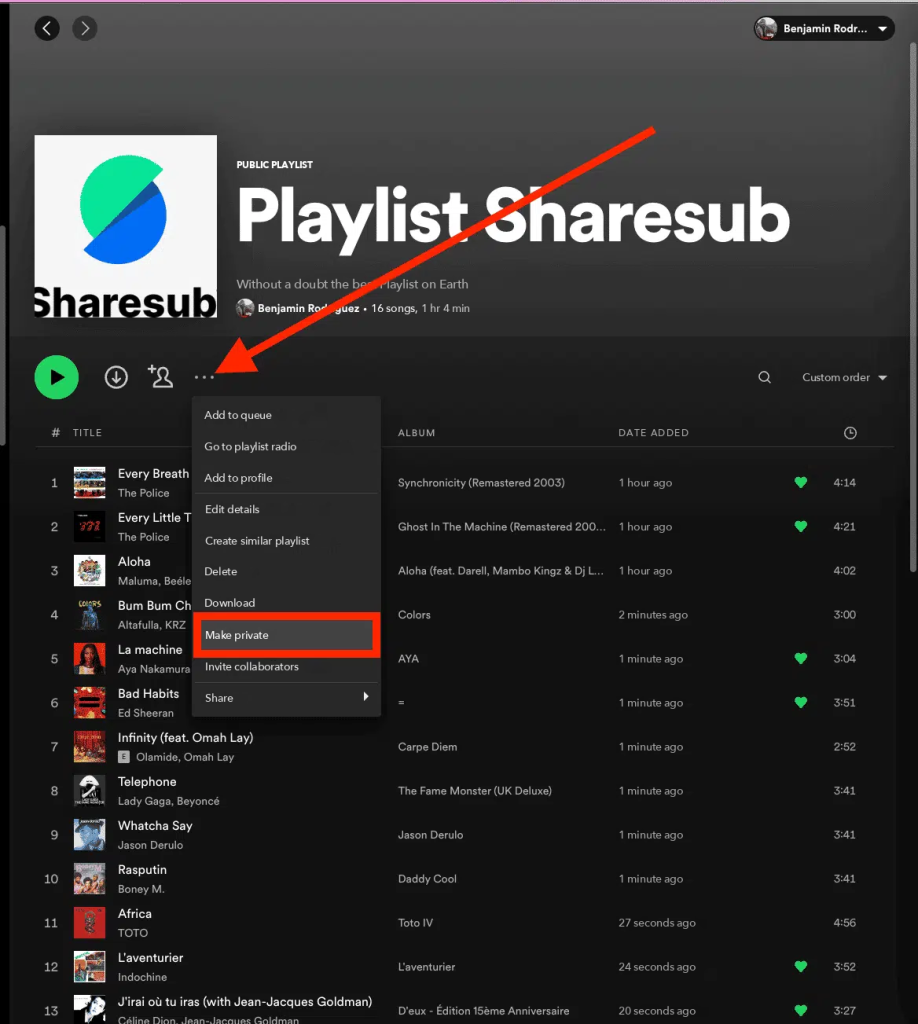
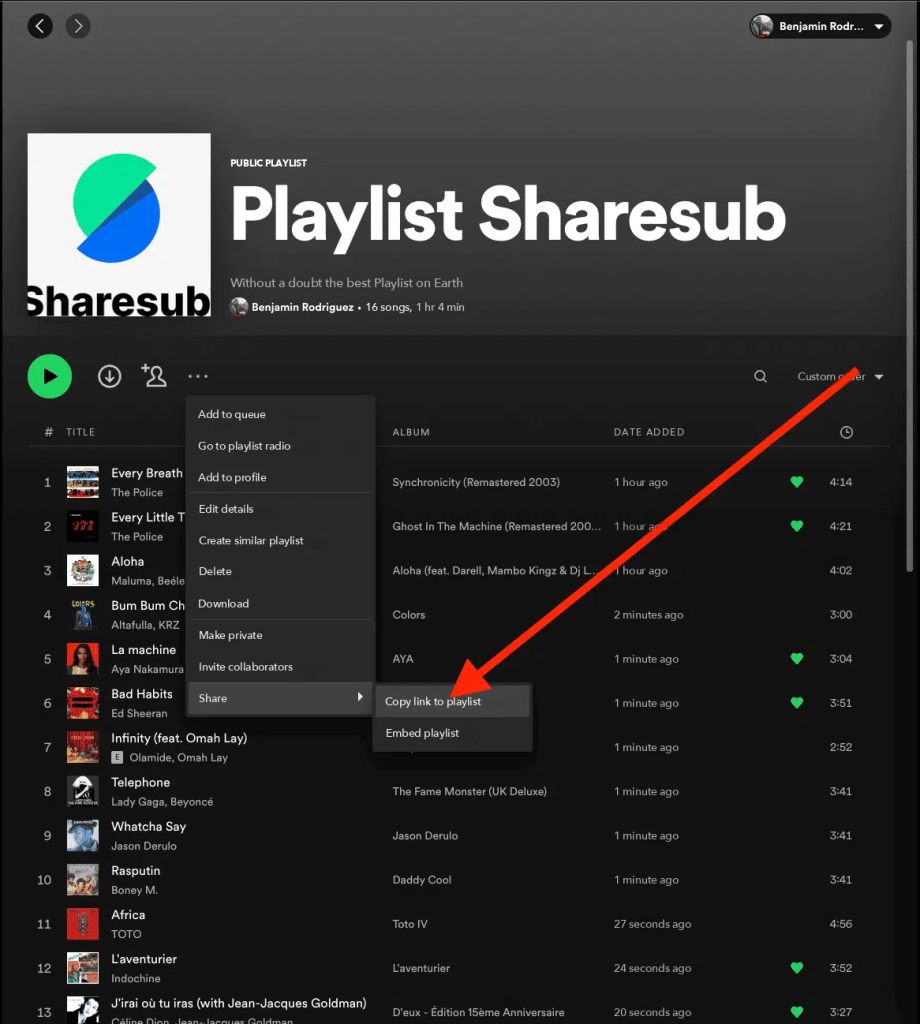
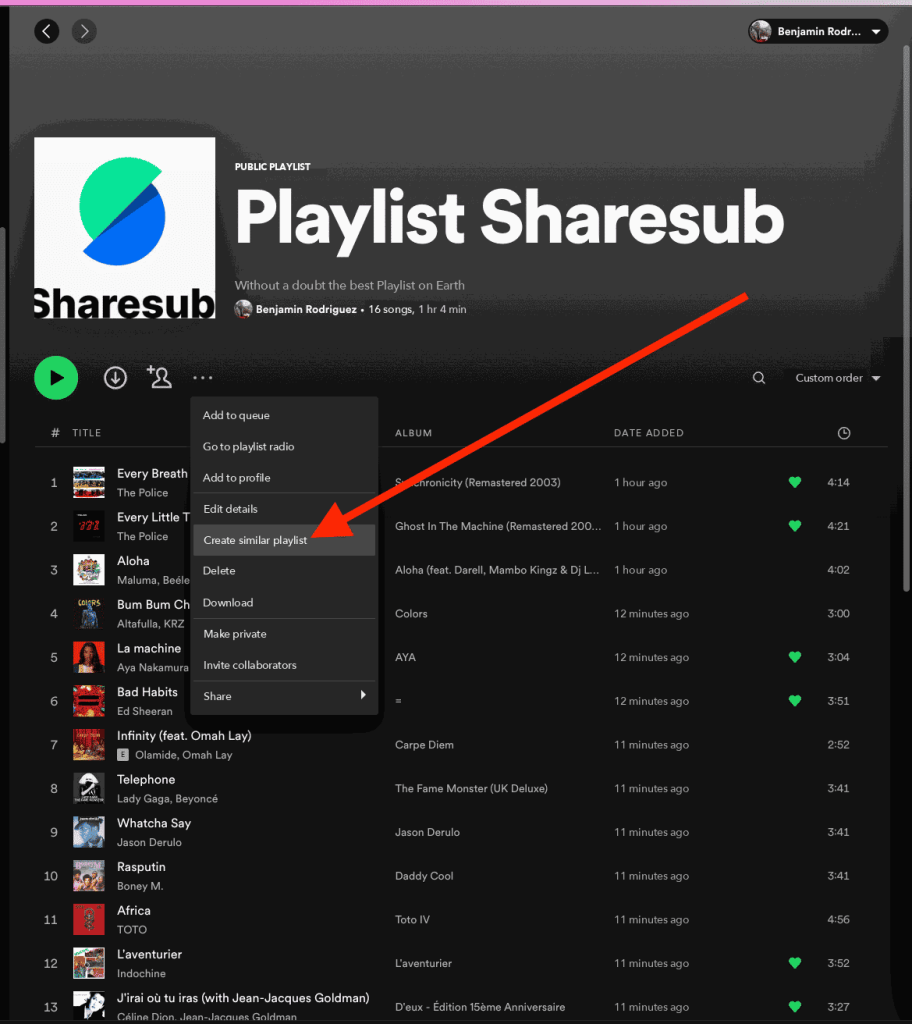
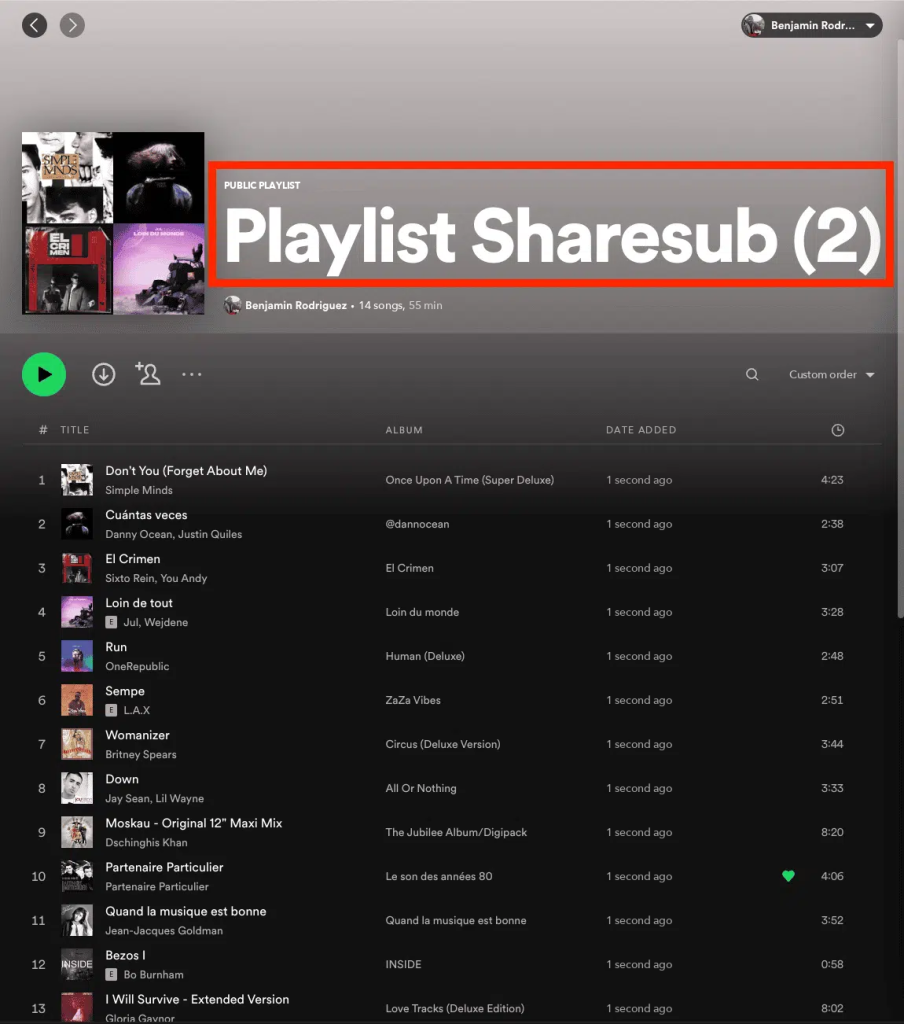
Before you log out of the old account, remember to switch the playlists you want to recover to public. To do so, follow these 4 steps in the Spotify application
How do I join the subscription afterwards?
When you have finished creating your new Spotify account, log in to Spotify. Finally, you can click on the invitation link provided by the share organizer to join your new subscription.